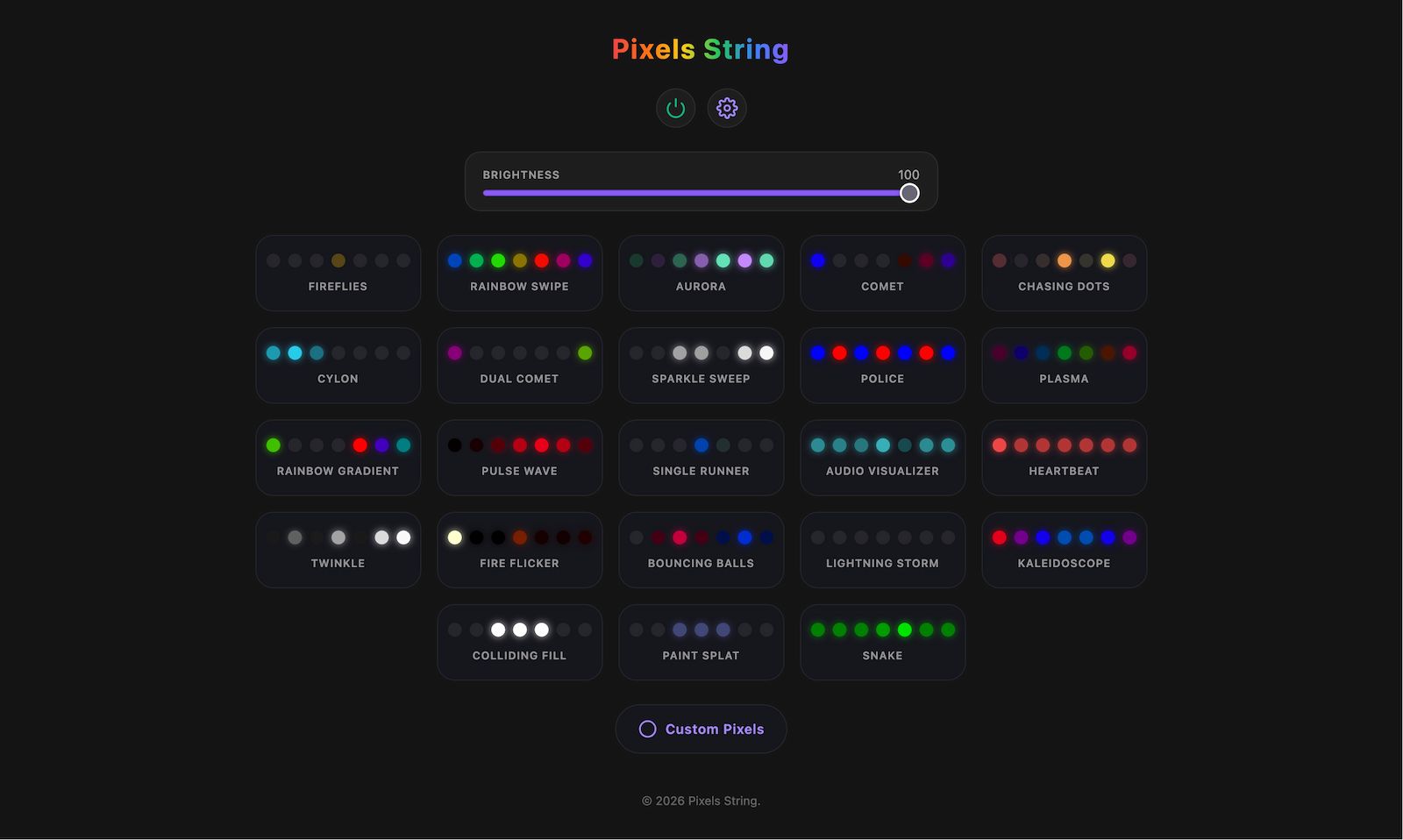
A WiFi-enabled ESP32 LED neopixel string controller with 15 stunning effects, 5 variations per effect, a physical button interface, and an embedded web dashboard for browser-based control.
Features
- 15 LED Effects - Fireflies, Rainbow Swipe, Aurora, Comet, Chasing Dots, Cylon, Dual Comet, Sparkle Sweep, Police, Plasma, Rainbow Gradient, Pulse Wave, Single Runner, Audio Visualizer, Heartbeat
- 5 Variations Per Effect - Cycle through variations with successive taps on the same button
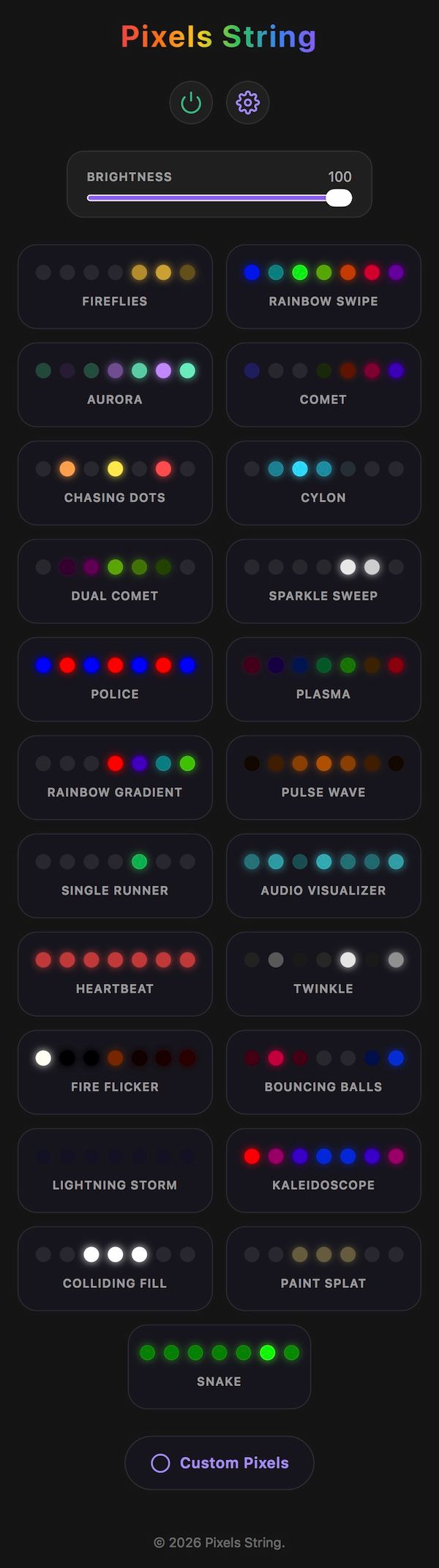
- Web Dashboard - Embedded HTML/CSS/JS dashboard served directly from the ESP32, with animated icons and API feedback
- Physical Button - Single-click to cycle effects, double-click for variations, long-press for power on/off
- REST API - Full programmatic control over HTTP
- Static IP & mDNS - Reliable network configuration with custom hostname
- Persistent LED Count - Number of LEDs is stored in NVS (non-volatile storage) and configurable via API
- Auto-reconnect - Monitors WiFi and reconnects automatically
Hardware Requirements
- ESP32 development board
- NeoPixel-compatible LED strip (WS2812B, SK6812, etc.)
- 3.3V-5V level shifter (recommended for longer strips)
- Physical button (optional, GPIO 9 with internal pull-up)
- 5V power supply (sized for your LED count)
Pin Connections
| Component | GPIO Pin |
|---|---|
| LED Strip Data | GPIO 2 |
| Button (optional) | GPIO 9 (INPUT_PULLUP) |
Getting Started
1. Clone and Configure
git clone https://github.com/shajanjp/pixels-string.git
cd pixels-string
2. WiFi & Network Config
Copy the example config and fill in your network details:
cp config.example.h config.h
Edit config.h:
#define WIFI_SSID "your-ssid"
#define WIFI_PASSWORD "your-password"
#define STATIC_IP IPAddress(192, 168, 1, 55)
#define GATEWAY IPAddress(192, 168, 1, 1)
#define SUBNET IPAddress(255, 255, 255, 0)
#define MDNS_HOSTNAME "neopixel"
#define DASHBOARD_URL "http://shajanjacob.com/pixels-string?ip=192.168.1.55"
config.his gitignored - your credentials stay out of version control.
3. (Optional) Modify the Dashboard
Edit index.html, then regenerate the embedded header:
npm install
node html-to-header.js
This minifies the HTML, CSS, and JS, and produces dashboard_html.h which is compiled into the firmware.
4. Upload to ESP32
Open pixels-string.ino in the Arduino IDE or VS Code with PlatformIO, select your ESP32 board, and upload.
5. Find Your Device
- Check your router's DHCP client list for the static IP you configured
- Or use mDNS:
http://neopixel.local
Web Dashboard
The ESP32 serves a full-featured dashboard at its root URL. Each effect is shown as a card with an animated icon:
- Click a card to activate that effect
- Click the same card again to cycle through its 5 variations (a toast notification shows the variation number)
- The active effect is highlighted with a glowing border
![]()
REST API
All endpoints are served on port 80.
GET /api/effect?name=<name>
Set the active effect by name.
Valid names:
FIREFLIES, RAINBOW_SWIPE, AURORA, COMET, CHASING_DOTS, CYLON, DUAL_COMET, SPARKLE_SWEEP, POLICE, PLASMA, RAINBOW_GRADIENT, PULSE_WAVE, SINGLE_RUNNER, AUDIO_VISUALIZER, HEARTBEAT
GET /api/effect?name=AURORA
GET /api/effect?index=<0-14>
Set effect by numeric index.
GET /api/effect?index=2 → Aurora
GET /api/variation?index=<0-4>
Set the variation of the current effect.
GET /api/variation?index=2
GET /api/power?state=<on|off>
Turn LEDs on or off.
GET /api/power?state=off
GET /api/info
Returns a JSON object with the current state.
{
"effect": "AURORA",
"effectIndex": 2,
"variation": 2,
"variationMax": 4,
"power": "on",
"numEffects": 15,
"ledCount": 50
}
GET /api/ledcount?count=<1-300>
Set the number of LEDs. This is saved to NVS and persists across reboots.
GET /api/ledcount?count=100
GET /api/ledcount
Returns the current LED count as JSON.
{ "ledCount": 100 }
GET /help
Plain-text listing of all available endpoints.
GET /api/pixels/set
Set pixel colors with customizable patterns. All parameters are passed as query strings.
Query Parameters
| Parameter | Required | Description |
|---|---|---|
pattern |
Yes | Lighting pattern: solid, striped, or gradient. |
color |
Yes* | Hex color code(s) without #. Can be repeated for multiple colors. |
brightness |
No | Global brightness 0–255 (default: 255). Applied after pattern generation. |
*At least one color is always required.
Color Format
- 6-digit hex:
RRGGBB(e.g.FF0000for red). - Optionally allows 3-digit shorthand:
F00->FF0000. - Case insensitive (
ff0000==FF0000). - Multiple colors are supplied by repeating the
colorkey.
Examples
GET /api/pixels/set?pattern=solid&color=FF0000
GET /api/pixels/set?pattern=striped&color=FF0000&color=00FF00&color=0000FF
GET /api/pixels/set?pattern=gradient&color=FF0000&color=0000FF&brightness=128
Effects & Variations
| # | Effect | Variations |
|---|---|---|
| 0 | FIREFLIES | 1 / 2 / 3 / 5 / 8 fireflies (speed scales with count) |
| 1 | RAINBOW_SWIPE | Forward / Reverse / Fast / Slow / Medium+Forward |
| 2 | AURORA | Blue-green / Warm / Cool violet / Pink-green / Rainbow-tinted |
| 3 | COMET | Position-hue / Fixed hue / Time-hue / White / Rainbow tail |
| 4 | CHASING_DOTS | 2 / 3 / 4 / 5 / 6 chasers |
| 5 | CYLON | Hue shift at ends / Hue shift + / Time-hue / White / Red |
| 6 | DUAL_COMET | White flash / Rainbow flash / Color-ring flash / Yellow / Red flash |
| 7 | SPARKLE_SWEEP | Density and width combos (5 variations) |
| 8 | POLICE | Alternating / Split halves / Three-segment / All flash / Sweeping |
| 9 | PLASMA | 2 / 3 / 4 / 5 / 5 blobs (wider) |
| 10 | RAINBOW_GRADIENT | Window size 6 / 10 / 14 / 18 / 22 |
| 11 | PULSE_WAVE | Sigma & speed combinations (5 variations) |
| 12 | SINGLE_RUNNER | Random hue / Rainbow-position / Time-hue / White / Tail trail |
| 13 | AUDIO_VISUALIZER | Simulated spectrum analyzers with varying band counts & styles |
| 14 | HEARTBEAT | Mac breathing / Lub-dub center / Alternating side / Travelling / Dual pulse |
Physical Button Controls
| Action | Result |
|---|---|
| Single click | Cycle to the next effect |
| Double click | Cycle variation (0 → 1 → 2 → 3 → 4 → 0) |
| Long press (2s) | Toggle power on/off |
Project Structure
pixels-string/
├── pixels-string.ino # Main Arduino sketch (effects, WiFi, HTTP, button)
├── config.example.h # WiFi & network config template
├── config.h # Your actual config (gitignored)
├── index.html # Web dashboard source (HTML/CSS/JS)
├── dashboard_html.h # Auto-generated: minified HTML embedded as a C string
├── html-to-header.js # Node.js script to minify HTML & generate header
├── package.json # Node dependencies (html-minifier)
└── pixels-string-dashboard-screenshot.jpg
Maximum LEDs
The software limit is 300 LEDs (MAX_LEDS). Adjust this in pixels-string.ino if your hardware supports fewer or more (within ESP32 memory constraints).