
Jul 19, 2026
Co Apply
Intelligently autofill forms on any website using your data and AI.

AI-powered browser extension that intelligently fills forms on any website using your data and a knowledge base powered by DeepSeek.
Built for Firefox (Manifest V3).
How it works
- Configure your data, FAQ entries, and API key in the extension settings.
- Open any page with a form. A floating "Auto Fill" button appears.
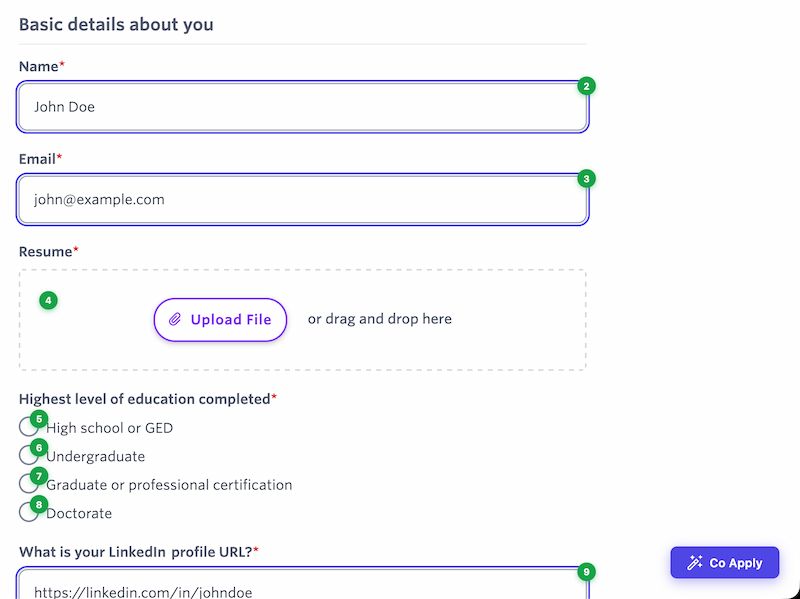
- Click the button. Co Apply extracts all form fields, sends them to DeepSeek along with your data, and fills the form.
- Review each field -- green badges mark filled fields, orange badges mark fields left empty. Submit manually.
Screenshots
Features
- Broad form detection -- works with inputs, textareas, selects, radio buttons, checkboxes, contentEditable elements, and ARIA widgets, even outside
<form>tags. - AI field understanding -- DeepSeek interprets labels, placeholders, ARIA attributes, and nearby text to match fields to your data.
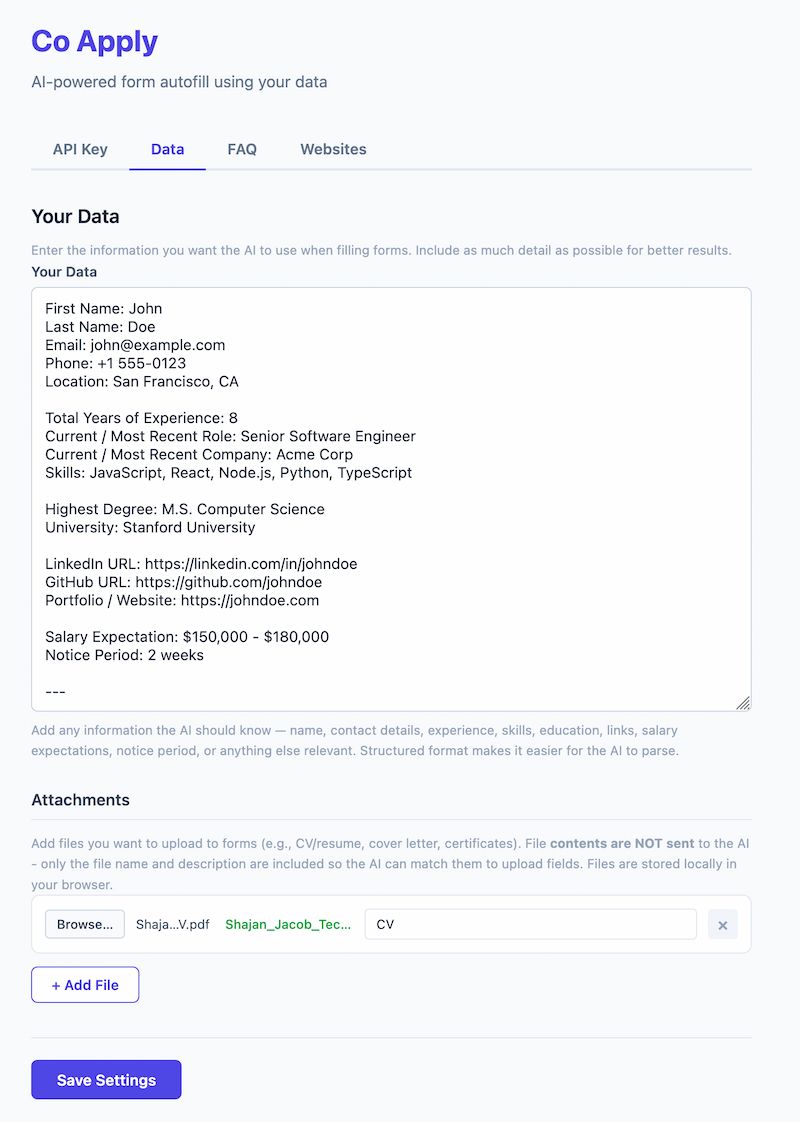
- User data -- store any information you commonly use (name, contact, experience, preferences, etc.) in freeform text.
- FAQ / Knowledge base -- reusable answers for open-ended questions like "Tell us about yourself".
- File attachments -- attach files (CV, certificates, etc.) for upload fields. File contents stay local, only names and descriptions are shared with the AI.
- Verification badges -- numbered green/orange badges persist on each field after filling so you can review before submitting.
- Website allowlist -- restrict the extension to specific domains, or leave empty to enable everywhere.
Getting started
- Install the extension in Firefox.
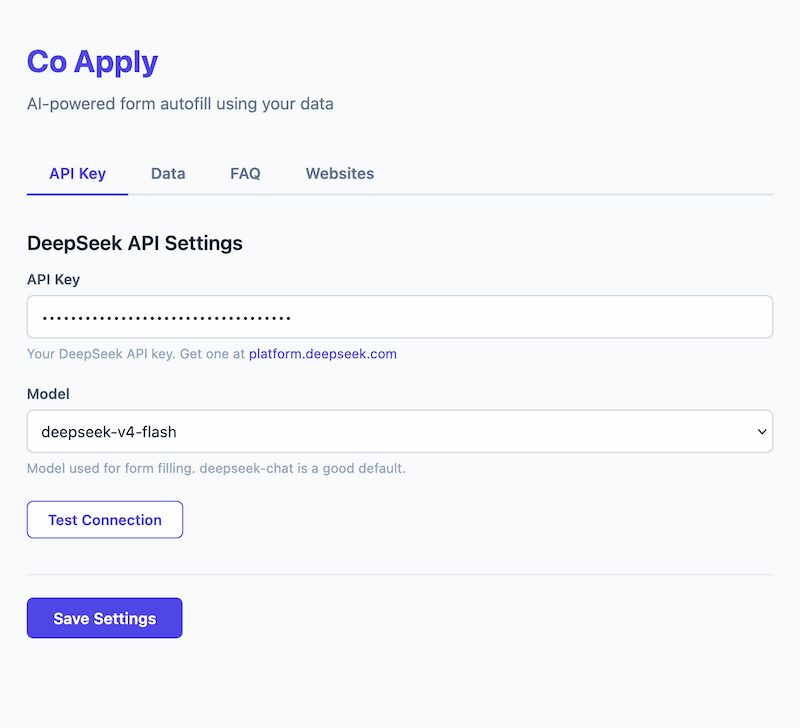
- Open the settings page and enter your DeepSeek API key.
- Add your data under the Data tab -- include anything you'd want filled into forms.
- Optionally add FAQ entries and attach files.
- Configure the extension to allowlist the website you want to use it on.
- Navigate to any website(configured in the extension settings) with a form and click the "Auto Fill" button.
Requirements
- Firefox 115 or later
- A DeepSeek API key