
Building Clockwall: A Better Way to Visualize Time Zones
A simpler way to visualize time zones, see availability overlap, and scrub time across multiple people and places.

TL;DR
Built Clockwall to make working across time zones simpler. Add people, see their local time, compare availability, and scrub time without doing timezone math.
In my previous companies, I often had to coordinate with clients and teammates in different countries. Outside work, I had friends and family living abroad. Every time I wanted to schedule a meeting or plan an event, I'd either open a timezone website or try to calculate it in my head. I noticed I was spending more time than I should figuring out time zones.
It's manageable when there are only one or two time zones. But once there are several people across different countries, it gets surprisingly tedious.
My first company had a wall with clocks showing the time in different parts of the world. It was simple, straight forward, and really useful. I wanted something like that on my computer, with a few extra features. I have tried many apps for handling time zones, like worldtimebuddy.com and Apple's native clock, but there's no option to add labels for each time or scrub the time to see what time and date it will be in another time zone when it's a particular time in your own, or vice versa.
So I built Clockwall with my friend Nithin. https://clockwall.app
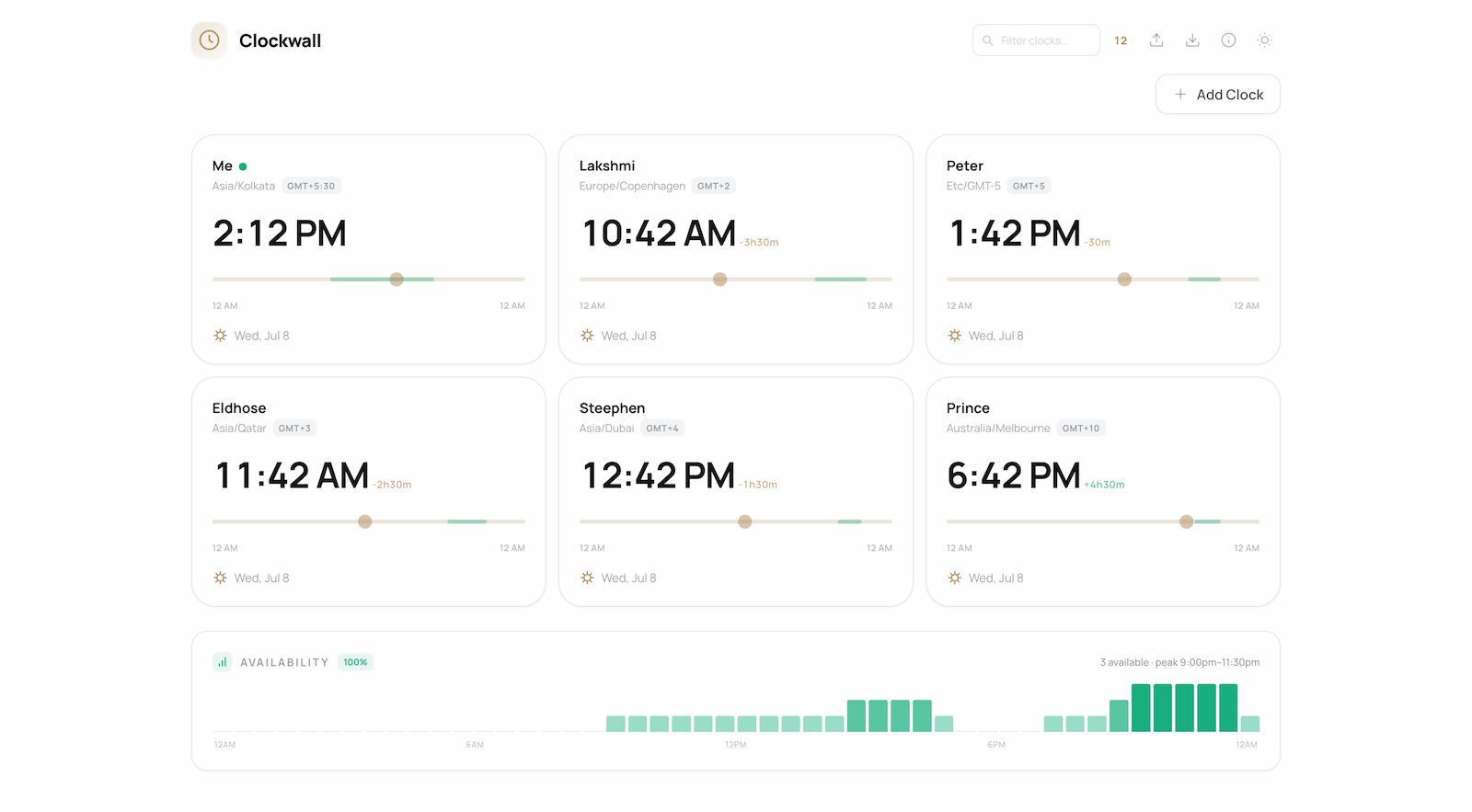
You can add clocks for people, teams, or places and see all of them in one view. If you want to know what time it'll be somewhere else a few hours from now, just drag the time on one clock and every other clock updates instantly.
You can also set each person's usual working hours, so it's easy to see who's likely to be available at a particular time. There's also a simple overview that helps find the time when the most people's availability overlap.
A few other things it includes:
- Everything is stored locally in your browser. No server calls, no 402 errors, or app downloads.
- Working hours and availability indicators
- Availability overlap graph
- Day / Night Indicator
- Import and export for clock cards
- 12/24-hour format toggle
- Dark mode
I mainly built this because I wanted a simpler way to deal with time zones. If you work with people in different countries-or just have friends and family living abroad-I hope you find it useful too.